Accessibility Improvements, Easier Content Editing and an Updated User Interface
Accessibility
Avallain Author Release 52 includes accessibility improvements to multiple Activity Classes. Most of those improvements are under the hood and relate to keyboard navigation, aria labels etc., mostly notable only when using a screen reader.
Option: Gapfill Behaviour
The following Activity Classes now allow using the keyboard to select and place drag items even if the option Gapfill Behaviour has been set to “Drag”:
- Order:Match Gap
- Order Text Gap (Label an Object)
- Order:Sequence
- Order:Match
- Order:Sort
This gives content creators the flexibility to use simple drag and drop while not compromising on accessibility.
Accessibility improvement in Mercury Design Pack
To further improve accessibility for Activity Classes that rely on colour or motion as part of the learner interaction, the Mercury Design Pack now includes toggles to aid learners with visual or motor impairments.
The gamified Activity Types Catch and Box Drop have a toggle to disable the motion. Learners with motor impairments can now use this toggle to halt movement of items on the screen and use the keyboard to place the drag items or, in the case of Catch, select the items representing correct answers.
Colouring activities now have a Colourblindness mode toggle that associates numbers with the different colours thereby allowing learners with visual impairments to solve the activity by relying both on the colours and their associated numbers.
The Activity Type Hangman has been improved to not solely rely on colour to mark correct and incorrect letter selections. Instead, selected letters are replaced with a cross or tick mark and incorrect letters are listed below the letter selector.
Note: These changes are only available in the Mercury Design Packs. Other design packs can choose to implement these accessibility improvements differently.
Backend
LO Editor
Working with activities in the LO Editor has been made easier in Release 52. You can now copy, paste and delete multiple activities at the same time. This allows content creators to copy two or more activities from one LO to another or to delete multiple activities at the same time.
Image: Selecting multiple activities for copy or delete
The User Interface
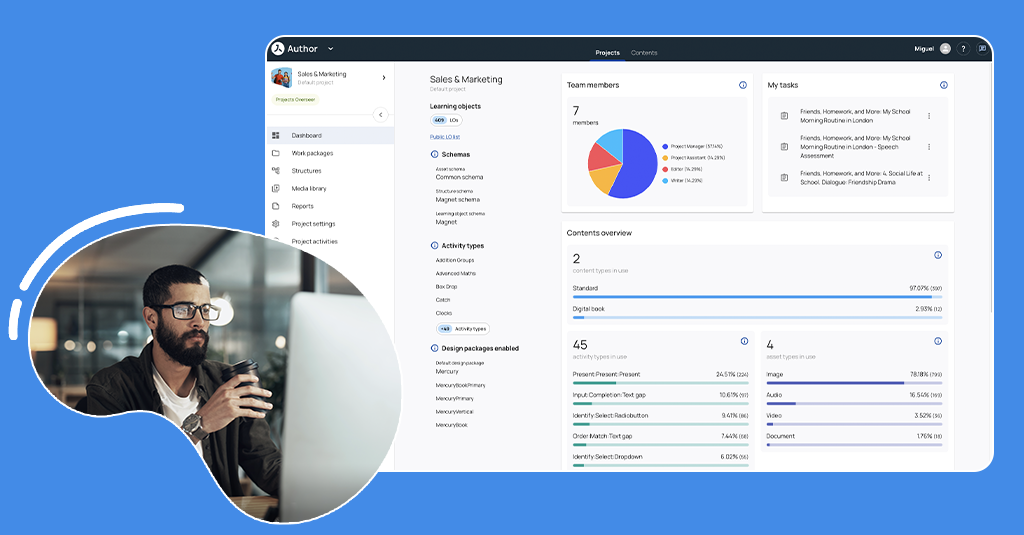
The User Interface has been updated and improved in many parts of Author including:
- Admin: Users, Metadata Schemas, Content Profiles
- The Projects & Contents pages
- The Dashboard
- The Media Library
- Structures
- Products
- The Work Packages side panel
- LO Edit: LO/Activity Metadata and Header Media windows
Full Asset Report: Improvements
The Full Asset Report is now both more informative and easier to read.
- In the Area columns, labels have replaced numerals: Rubric, Contents, Supplements, Attachments, Header, LO Options, Options
- The order of the columns is now: Asset ID – Filename – Learning Object – Screen – Area – AltText – Transcript – Subtitle – Accessibility
- ALT Texts, Transcripts and Subtitles are restricted to only 2 rows followed by “…”
- Assets in the Recorder syntax and Options are now reported
Engine
The Player
Audio playback behavior in Flashcards and Memory Cards
In Flashcards and Memory Cards, if an audio is playing (whether triggered manually or by autoplay), the audio playback should now stop when:
- The card is flipped
- Another card is flipped
- Another audio starts playing (whether triggered manually or by autoplay)
Audios in Crossword clues
Audios are now supported inside syntax as clues in Crossword activities.
Background images – More flexibility
Previously, background images were always centered by default. This caused inconsistent cropping across different screen sizes and responsive breakpoints.
A set of new classes has been added to allow authors to control image size, alignment, and scroll behavior more precisely.
Image: Positioning of background images
Note: As a general rule, background images will move together with the content above them during scrolling. But when using bgimg-repeat-fix, the background image will remain fixed at its starting position with the content scrolling above it.
Please contact Customer Success for detailed information.
Mercury Design Pack
The entire Mercury family of Design Packs has been updated for Release 52. This includes the accessibility improvements mentioned above but other updates have been implemented as well.
- Font appearance in attachments has been updated to better match text elsewhere
- The default link to an attachment is now in the top right corner of the LO
- Videoplayers now always have rounded corners
- Mercury Primary now supports the Activity Type Slideshow
- The loading indicator for Digital Books now better indicates that loading is still in progress and interaction with the Digital Book is not yet possible
- Digital Books can now also display a sidebar for a dedicated chatbot on supporting platforms.
Watch the webinar recording
Learn more about this release’s new features by watching the recording of the webinar held by our in-house experts.