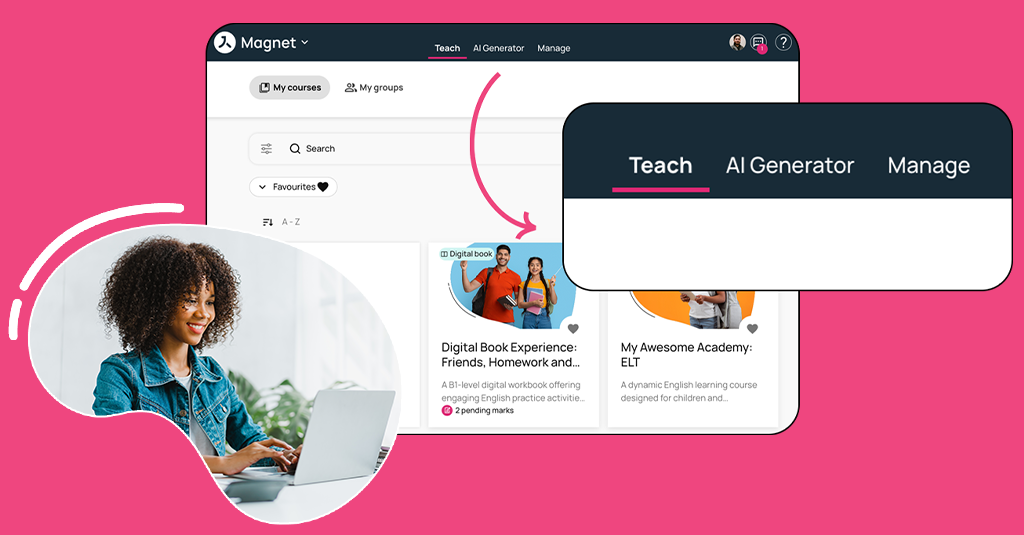
A new navigation experience, expanded OTP support and greater flexibility in user registration
Avallain Magnet Release 42 introduces a redesigned navigation experience for Teachers and Teacher-Admins, alongside new options that give institutions greater flexibility when managing student access and user registration.
New navigation for Teachers and Teacher-Admins
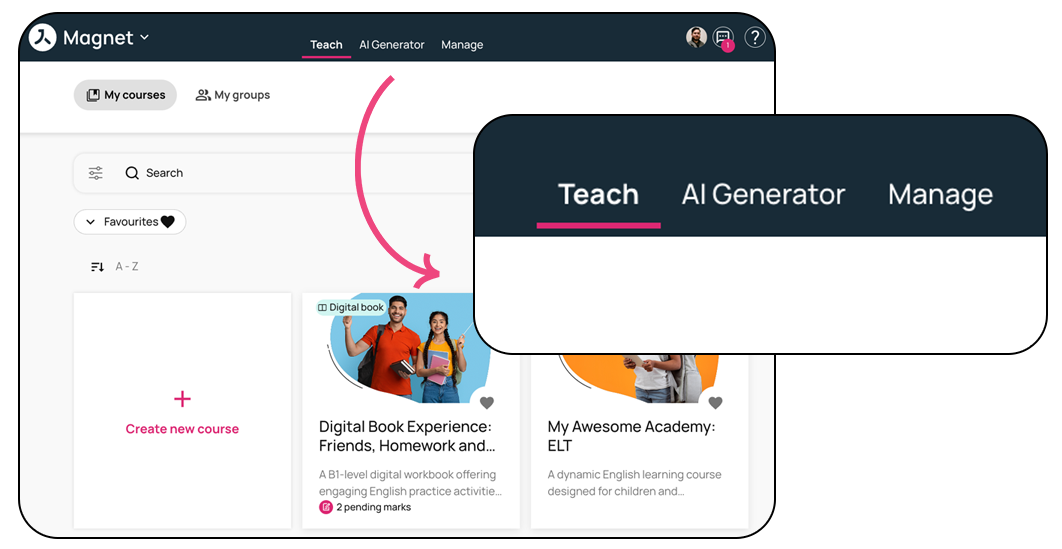
Avallain Magnet Release 42 introduces the first phase of a redesigned navigation experience for Teachers and Teacher-Admins.
As Magnet continues to grow in functionality, the new information architecture reorganises existing pages to provide clearer access to teaching and administrative features while maintaining a simple and intuitive user journey.
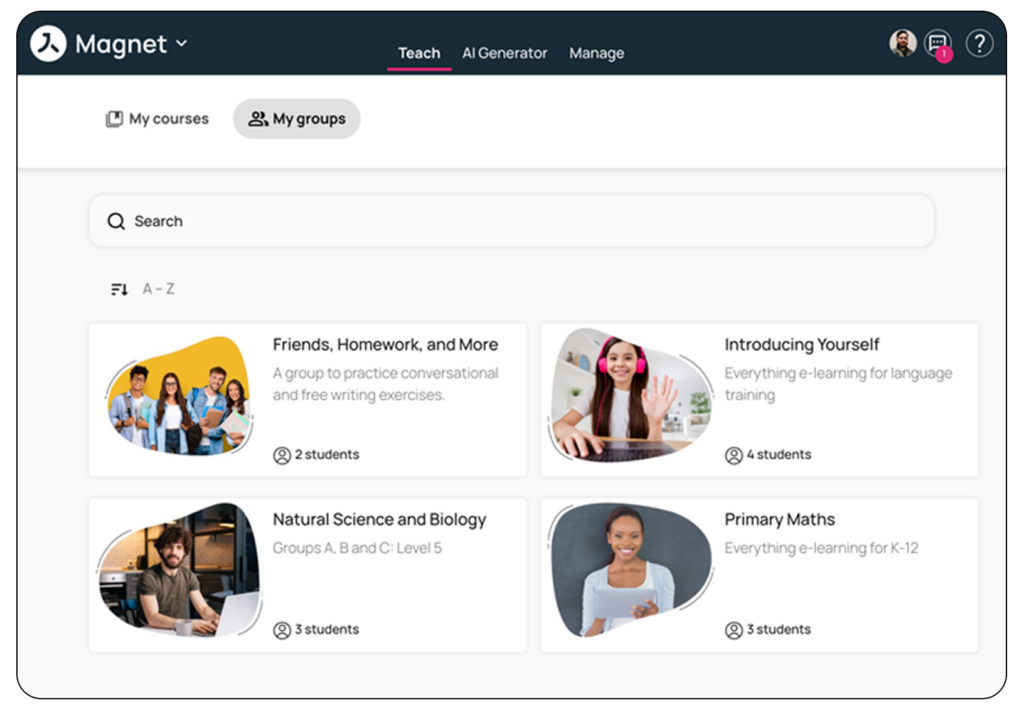
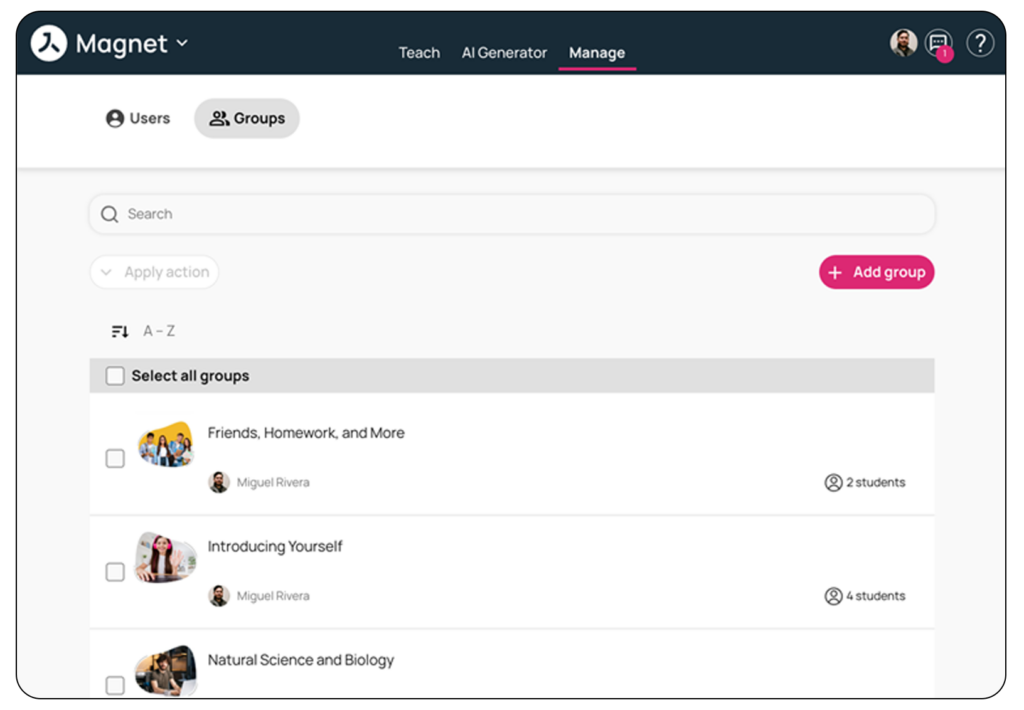
Two new top-level tabs, Teach and Manage, are now available. Teach brings together day-to-day teaching activities through My Courses and My Groups, while Manage provides access to administrative and organisational features such as Users and the new Groups management view.
The Dashboard is no longer displayed as a top-level tab and can now be accessed by clicking the institutional logo in the header. For institutions with AI Generators enabled, the AI Generators tab remains available in the top menu.
No features have been removed as part of this change; existing pages and functionality have been reorganised under the new navigation structure.
To help Teachers and Teacher-Admins become familiar with the changes, dedicated Customer Documentation is available with an overview of the new navigation, where existing pages can now be found and what is included in this first phase.
One-Time Password support for Activated Students with valid email addresses
Institutions can now extend the existing One-Time Password (OTP) functionality to Activated Students created with valid email addresses.
Previously available for Activated Students using usernames, this capability can now also be enabled for students with valid email addresses through institution settings.
When enabled, the Request new password option is available from the user details page for Activated Students, including those registered with a valid email address.
Date of birth setting for user registration
Institutions can now configure Date of Birth as part of the user registration process.
The setting can be enabled as a requirement during self-registration for Teachers and Students, and Date of Birth can also be included as an information field when creating individual users from the Web or Administration user pages, regardless of role.
This gives each institution the flexibility to configure the setting according to its own legal requirements.
Date of Birth is not currently supported as part of the bulk user upload or CSV creation process.
Watch the webinar recording
Learn more about this release’s new features by watching the recording of the webinar held by our in-house experts.