Greater flexibility across institutions and enhanced organisational control
Avallain Magnet Release 39 introduces new features that give organisations greater flexibility when managing multiple institutions, alongside new configuration options that allow ORG Admins to further tailor the platform experience for their users.
The release focuses on simplifying institution management, providing more control over course information and support resources, and enhancing the experience for organisations using branded mobile applications.
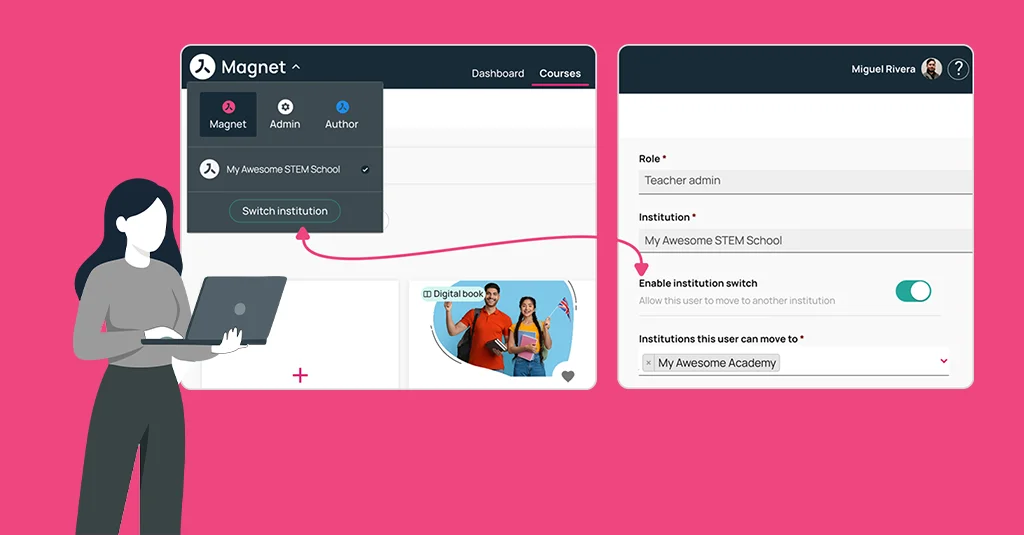
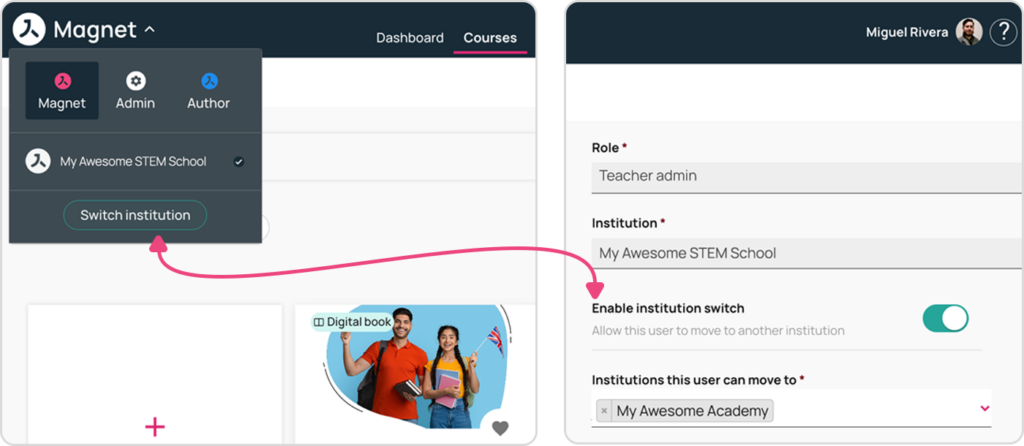
Institution switcher
Managing multiple institutions within the same organisation is now more efficient with the introduction of the Institution Switcher.
ORG Admins and Teacher Admins can now move between institutions they have access to without requiring separate accounts or complex administrative processes. Users continue to belong to only one institution at a time, ensuring clear institutional ownership while enabling greater flexibility across the organisation.
This feature streamlines administration for organisations operating multiple institutions and helps users work more efficiently across their assigned environments.
Student and Teacher migrations across institutions
ORG Admins can now migrate Students and Teachers from one institution to another within the same organisation directly from Magnet Administration.
This capability simplifies user management when organisational structures change or when users need to be reassigned between institutions. The migration process helps administrators maintain accurate user distribution across institutions while reducing manual administration.
New setting to customise course expiration date
Organisations now have greater control over how course expiration information is presented to users.
A new ORG-level setting allows ORG Admins to decide whether course expiration dates are displayed on course cards and course pages, and to manage when this information is shown.
This flexibility helps organisations align the user experience with their specific course delivery and communication requirements.
ORG setting to customise User Guide link
Organisations can now replace the default Magnet User Guide with their own support documentation.
Using a new ORG-level setting, ORG Admins can configure a custom User Guide link for users with Teacher Admin, Teacher and Student roles when accessing Magnet via the web platform.
This allows organisations to provide users with support resources tailored to their own processes, workflows and learning environments.
Branded mobile app Go to Store screen
The Go to Store screen has been enhanced for organisations using a branded mobile application.
The screen now includes a neutral illustration, while the primary Go to Store button automatically adopts the organisation’s configured primary colour. This helps create a more consistent branded experience while maintaining a clean and intuitive interface for users.
Watch the webinar recording
Learn more about this release’s new features by watching the recording of the webinar held by our in-house experts.